
Barq Wallet is a digital financial app in Saudi Arabia that allows users to send money, make payments, manage cards, and access other financial services. If you have a problem with your account, a delayed transfer, a payment, or a login issue, knowing how to contact Barq customer support can help you find the right solution.
Barq provides several support options, including a customer care phone number, in-app live chat, and email. This guide explains how to contact Barq, report account problems, follow up on transactions, and protect your wallet.
Barq Wallet Customer Care Number in Saudi Arabia
One of the quickest ways to contact Barq is through its customer care phone number.
Official Barq Customer Care Number: 800 100 0077
Barq lists this number on its official website for customer support. The bank’s website also states that support is available 24 hours a day.
You can use customer support to ask about issues such as:
- Account access and login problems
- Money transfers and payment status
- Debit and prepaid card issues
- Wallet balance and transaction questions
- Suspicious activity or unauthorized payments
- General app and account assistance
Before calling, prepare the details of your issue so you can explain the problem clearly.
1. Contact Barq Through the Mobile App
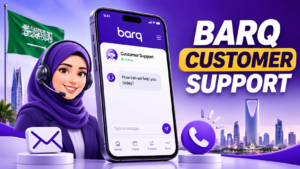
The Barq application is one of the main ways to access customer support. It provides an in-app chat option that allows customers to communicate with the support team.
Steps to Open Barq Live Chat
- Open the official Barq application.
- Log in to your account.
- Open the More section.
- Select Support.
- Tap Chat with Support.
- Explain your issue and follow the instructions.
If you are unable to log in, you may not be able to access all in-app support features. In that situation, contact Barq using its official customer care number or email.
Keep screenshots of relevant errors or transaction information if they help explain your problem.
2. Contact Barq Wallet by Email
Email is another option if you need to explain a problem in detail or keep a written record of your communication.
Barq lists the following email addresses on its official website:
- ccs@barq.com: Listed for customer support.
- info@barq.com: Listed as a general contact email.
For account-related problems, use the customer support channel and follow any instructions provided by Barq.
How to Write an Email to Barq Customer Support
Include these details in your message:
- Your name
- A short explanation of the issue
- The date the problem occurred
- The transaction reference number, if relevant
- Any previous support ticket number
- Screenshots or supporting information, if requested
Do not include your wallet password, PIN, OTP, or complete card details in an ordinary email.
Example email subject:
Request for Assistance With My Barq Wallet Account
A clear explanation can help the support team understand what happened and identify the appropriate next step.
3. How to Contact Barq if You Cannot Log In
Losing access to your Barq Wallet account can be frustrating, especially if you need to check your balance or complete an important transaction.
If you cannot log in, try these steps:
- Check that your internet connection is working.
- Confirm that you are using the mobile number registered with your Barq account.
- Check whether you are receiving the required verification messages.
- Update the application through the official app store if an update is available.
- Try the official account recovery instructions shown in the application.
If these steps do not work, contact Barq customer care at 800 100 0077.
Explain whether you have forgotten your login details, lost access to your registered mobile number, or are not receiving verification codes.
Barq may require identity verification before making account changes. Follow the instructions provided through its official support channels.
4. How to Report a Failed or Delayed Barq Money Transfer
A transfer can sometimes remain pending or fail to reach the recipient within the expected time.
If your Barq transfer is delayed, do not immediately send the same amount again. First, check the transaction status.
Steps to Check a Delayed Transfer
- Open the Barq application.
- Go to your transaction history.
- Find the transfer in question.
- Check whether its status is pending, completed, rejected, or refunded.
- Note the transaction reference number.
- Contact customer support if the status is unclear or the money has not arrived.
When contacting Barq, provide the transfer date, amount, destination, and reference number.
For international transfers, also check the receiving bank or wallet account. Processing times may depend on the destination country and payment partner.
5. How to Report an Unauthorized Barq Transaction
If you notice a payment or transfer that you did not authorize, contact Barq immediately.
Take these precautions:
- Contact customer support using an official channel.
- Explain that you do not recognize the transaction.
- Provide the transaction date and amount.
- Ask the support team to secure your account and review the activity.
- Follow any instructions for blocking or securing your card.
- Keep the complaint or support reference number.
If you can still access your account, review your card management settings and use any available card-freezing or blocking feature when appropriate.
Do not share an OTP or PIN with anyone who contacts you unexpectedly, even if they claim to be from Barq.
6. How to Report a Lost or Stolen Barq Card
If your Barq card is lost or stolen, act quickly to reduce the risk of unauthorized payments.
- Open the Barq app if you can access your account.
- Find the card management section.
- Check whether a freeze or block option is available.
- Secure the card using the available controls.
- Contact customer support to report the situation.
- Review recent transactions for anything you do not recognize.
If you cannot access the app, call the official customer care number.
Ask the support team about card replacement and any additional security steps required.
7. How to Contact Barq From Outside Saudi Arabia
If you are outside Saudi Arabia, the local toll-free number may not work from your current mobile network.
You can try the following support options:
- Contact Barq through the email addresses listed on its official website.
- Use the in-app support chat if you can access your account.
- Check the official Barq website for updated international contact instructions.
For international calls, verify the correct number with Barq before dialing. Do not rely on phone numbers shared by unknown social media accounts or unofficial websites.
8. How to Submit a Complaint to Barq
If your issue has not been resolved through normal customer support, submit a clear complaint through an official Barq support channel.
Common reasons to submit a complaint include:
- A delayed or missing transfer
- An incorrect transaction
- An account restriction
- An unauthorized payment
- A card problem
- A refund that has not arrived
- Repeated login or verification problems
What to Include in Your Complaint
Explain the issue in a clear and organized way.
Include:
- Your name and relevant account information requested by Barq.
- The date the problem occurred.
- The transaction amount, if applicable.
- The transaction reference number.
- Details of previous communication with support.
- What resolution you are requesting.
Ask for a complaint or ticket reference number and keep it for future follow-up.
If you remain dissatisfied after using Barq’s complaint process, you can check the Saudi Central Bank’s official consumer protection complaint channels to understand whether your case is eligible for escalation.
9. How to Find Official Barq Support Information
The safest way to confirm current contact details is to use Barq’s official website and application.
Official Barq website:
You can find information about the wallet, available services, customer support, terms, and customer protection.
You can also find the official application through:
- Google Play Store
- Apple App Store
Before installing or updating the app, verify that the developer is Barraq Finance Company.
Barq Wallet Customer Support Email Template
Dear Barq Customer Support Team,

I am facing an issue with my Barq Wallet account.

**Problem Description:**

[Write your problem here. Example: I am unable to transfer money through my Barq Wallet. Whenever I try to make a transaction, it does not complete. I kindly request you to investigate this issue and help me resolve it.]

**Customer Details:**

- Full Name: __________________
- Registered Mobile Number: __________________
- Registered Email Address: __________________
- Date of Issue: __________________

Thank you for your assistance. I look forward to your response.

Best Regards,
[Your Full Name]
10. Important Security Tips When Contacting Barq
Because Barq is a financial wallet, protecting your account information is essential.
Follow these safety practices:
- Never share your wallet PIN or password.
- Do not disclose OTP or verification codes to callers.
- Avoid clicking suspicious links claiming to be Barq support.
- Use the official application and website.
- Do not install remote-access applications at the request of an unknown caller.
- Never share your full card details through social media.
- Report suspicious transactions as soon as possible.
If someone contacts you claiming to be a Barq representative and requests your confidential security information, end the conversation and contact Barq through an official channel.
Frequently Asked Questions
What is the Barq Wallet customer care number in Saudi Arabia?
The official Barq website lists 800 100 0077 as its customer support number.
Is Barq customer support available 24 hours?
Yes. Barq’s official website states that customer support is available 24 hours a day.
What is the Barq customer support email?
Barq lists ccs@barq.com for customer support and info@barq.com as a general contact email.
How can I contact Barq through the app?
Open the Barq app, go to More, select Support, and tap Chat with Support.
How can I contact Barq if I cannot log in?
You can call Barq customer care at 800 100 0077 or contact the support team through its published email channels.
What should I do if my Barq transfer is delayed?
Check your transaction history, note the reference number, and contact customer support. Avoid repeating the transfer until you understand the status of the original payment.
How can I report an unauthorized Barq payment?
Contact Barq immediately through its official support channels, provide the transaction details, and follow the instructions to secure your account.
Final Thoughts
Contacting Barq Wallet in Saudi Arabia is possible through its customer care number, in-app chat, and email support.
For general assistance, you can call 800 100 0077. If you can access your account, the in-app route through More, Support, and Chat with Support is another useful option.
For delayed transfers, missing payments, login problems, or unauthorized transactions, provide clear details and keep your support reference number. Most importantly, use official Barq channels and never share your password, PIN, or OTP with anyone.